
Product Photography Guide
Best practices for product images that sell
20 min readUpdated 28 October 2026
Product Photography Essentials
Great product photos are the foundation of successful e-commerce sales. They are often the first and most important interaction customers have with your products. This comprehensive guide will help you create professional-looking product photos that drive sales and build trust.
Why Product Photography Matters
- 93% of consumers consider visuals the key deciding factor in purchases
- High-quality photos can increase conversion rates by up to 30%
- Professional images build trust and credibility with customers
- Good photos reduce return rates and customer complaints
- Quality visuals improve search rankings and marketplace visibility
What Makes a Great Product Photo
- Sharp focus and clear details
- Consistent lighting and colours
- Clean, uncluttered background
- Multiple angles and views
- Accurate colour representation
- Professional composition
- High resolution (minimum 1000x1000px)
- Lifestyle context where appropriate
Common Photography Mistakes
- Poor lighting creating shadows or glare
- Blurry or out-of-focus images
- Cluttered or distracting backgrounds
- Inaccurate colours or white balance
- Too few angles or detail shots
- Over-editing or unrealistic appearance
- Low resolution or pixelated images
- Inconsistent style across products
Photography Style Guide for Nigerian Market
Cultural Considerations
- Use diverse models that represent your target audience
- Consider local preferences for colours and styling
- Show products in familiar Nigerian contexts when relevant
- Include size references using familiar objects
- Use natural, authentic styling over overly polished looks
Technical Requirements
Minimum Resolution: 1000 x 1000 pixels
Recommended Size: 1500 x 1500 pixels or larger
File Format: JPEG or PNG
Quick Start Tips
Get started with professional-looking photos right away:
- Start with natural window light - it's free and flattering
- Use a white sheet or poster board as a simple backdrop
- Take multiple shots from different angles
- Keep your camera or phone steady (use a tripod if available)
- Edit photos for consistent brightness and colour
Equipment & Setup Guide
Budget-Friendly Setup (₦10,000 - ₦30,000)
Essential Equipment
Smartphone or Basic Camera: Modern smartphones (iPhone 8+, Samsung S8+) work excellently
Budget: ₦0 (use existing phone)
Basic Tripod: Prevents blur and ensures consistent framing
Budget: ₦5,000 - ₦15,000
White Backdrop: Large white poster board or seamless paper
Budget: ₦1,000 - ₦3,000
Reflectors: White foam board or professional reflector
Budget: ₦5,000 - ₦10,000
DIY Alternatives
Backdrop Alternatives
- Large white bedsheet
- White wall or door
- Poster board taped together
- White fabric from the market
Lighting Helpers
- White towels as reflectors
- Aluminum foil for shine
- Sheer curtains to soften light
- White cardboard boxes
Stability Solutions
- Stack of books for height
- Lean phone against objects
- Use phone timer to avoid shake
- Improvised phone stands
Professional Setup (₦50,000 - ₦200,000)
| Equipment | Purpose | Budget Range | Recommended Brands |
|---|---|---|---|
| DSLR/Mirrorless Camera | Professional image quality | ₦80,000 - ₦150,000 | Canon EOS, Nikon D3500, Sony α |
| Macro Lens | Close-up detail shots | ₦30,000 - ₦80,000 | 50mm or 100mm macro |
| Studio Lighting Kit | Consistent, professional lighting | ₦25,000 - ₦60,000 | Godox, Neewer, Yongnuo |
| Light Box/Tent | Even lighting for small products | ₦8,000 - ₦25,000 | Folding light boxes |
| Professional Tripod | Stability and precise positioning | ₦15,000 - ₦40,000 | Manfrotto, Vanguard |
Setup Configurations
Small Products Setup
- Light box or table setup60cm x 60cm minimum
- BackgroundSeamless white or coloured backdrop
- LightingTwo lights at 45° angles + fill light
- Camera positionStraight on or slightly above
- Best forJewelry, electronics, cosmetics
Large Products Setup
- Studio space3m x 3m minimum area
- BackgroundLarge seamless paper or cyc wall
- LightingMultiple softboxes + background light
- Camera positionVarious angles and distances
- Best forFurniture, appliances, clothing
Money-Saving Tips
- Start with natural light and upgrade gradually
- Buy used equipment from reputable sellers
- Consider renting expensive equipment for special shoots
- Join photography groups for equipment sharing
- Invest in lighting before expensive cameras
Lighting Techniques
Understanding Light Types
Natural Light
- Free and readily available
- Soft and flattering
- Best near large windows
- Avoid direct sunlight
- Changes throughout the day
Continuous Lighting
- Consistent and predictable
- See results in real-time
- LED panels work great
- Can get hot with traditional bulbs
- Good for beginners
Flash/Strobe
- Most powerful option
- Freezes motion perfectly
- Requires more skill
- Professional studio standard
- Best colour accuracy
Basic Lighting Setups
1. Single Light Setup (Beginner)
Window Light Setup
- Position product near large window
- Use sheer curtain to diffuse harsh light
- Place white card opposite window to fill shadows
- Shoot during overcast days for even light
Best for: Small to medium products, natural look
Single Artificial Light
- Position light 45° to the side of product
- Use softbox or umbrella to diffuse
- Add reflector on opposite side
- Keep light 2-3 feet from product
Best for: Controlled conditions, consistent results
2. Two Light Setup (Intermediate)
Key Light + Fill Light
- Main light at 45° angle (key light)
- Secondary light at opposite 45° (fill light)
- Fill light should be 50% power of key
- Creates dimensional, professional look
Setup Tips
- Start with key light, add fill gradually
- Watch for double shadows
- Use different diffusion on each light
- Background should be evenly lit
3. Three Light Setup (Advanced)
Key + Fill + Background Light: Professional setup that separates subject from background and creates depth.
Key Light: Main illumination, 45° to side, highest power
Fill Light: Softens shadows, opposite side, lower power
Background Light: Illuminates backdrop, prevents shadows
Common Lighting Problems & Solutions
❌ Common Problems
- Harsh shadowsLight is too direct or too close
- Uneven lightingNeed more fill light or reflectors
- Colour castMixed light sources (daylight + tungsten)
- OverexposureToo much light, losing detail
- UnderexposureInsufficient light, muddy colours
✅ Quick Solutions
- Diffuse lightUse umbrellas, softboxes, or white sheets
- Add fillReflectors or secondary lights
- Match colour tempUse same type of bulbs
- Move lights furtherIncrease distance for softer light
- Use light meterOr camera's built-in meter
Climate Considerations
- Rainy seasonInvest in artificial lighting for consistency
- Bright sunUse diffusion materials to soften harsh light
- High humidityProtect equipment from moisture
- Power issuesConsider battery-powered LED lights
- Indoor setupOften more reliable than outdoor shoots
Composition & Styling Tips
Essential Composition Rules
Rule of Thirds
- Divide frame into 9 equal sections
- Place subject on intersection points
- Creates more dynamic composition
- More visually interesting than centering
Centered Composition
- Perfect for symmetrical products
- Creates formal, balanced feeling
- Good for catalog-style shots
- Works well with square formats
Product Photography Angles
Straight On (0°)
- Shows product as customer would see it
- Great for flat products
- Professional catalog look
- Easy to achieve consistent results
Best for: Books, clothing flat lays, artwork
45° Angle
- Shows dimension and depth
- Most versatile angle
- Works for most product types
- Natural, pleasing perspective
Best for: Electronics, boxes, cosmetics, shoes
Top Down (90°)
- Shows complete product layout
- Perfect for flat lay styling
- Great for social media
- Shows size relationships
Best for: Jewelry, food, stationery, accessories
Background and Styling
Background Options
✓ Recommended Backgrounds
- Pure white for marketplace consistency
- Light gray for subtle depth
- Natural textures (wood, marble) for lifestyle
- Solid colours that complement product
- Seamless paper for professional look
✗ Avoid These Backgrounds
- Busy patterns that distract
- Colours that clash with product
- Wrinkled or dirty surfaces
- Personal items in frame
- Inconsistent lighting on background
Props and Styling
Size Reference Props
- Coins for small items
- Hands for scale
- Common objects (phones, pens)
- Rulers or measuring tape
Lifestyle Props
- Related accessories
- Complementary colours
- Seasonal elements
- Usage context items
Support Props
- Clear acrylic stands
- Invisible fishing line
- Clay or putty for positioning
- Foam blocks for angles
Shot List Essentials
Must-Have Shots for Every Product
Primary Images
- Main product shot (hero image)
- 45-degree angle with context
- Back view or alternate angle
- Close-up of key features
- Size reference shot
Secondary Images
- Packaging or unboxing
- Lifestyle or in-use shot
- Detail shots of textures
- Colour variations (if applicable)
- Accessories or components
Category-Specific Shots
Fashion & Accessories: Flat lay, worn/modeled, close-up of fabric/materials, care label, size chart
Electronics: Product in packaging, ports/connections, screen/display, size comparison, accessories included
Beauty & Personal Care: Ingredient list, before/after, application shot, packaging variety, texture close-up
Pro Composition Tips
- Leave breathing room around the product (negative space)
- Ensure the product takes up 70-80% of the frame
- Check edges for unwanted shadows or reflections
- Maintain consistent perspective across all shots
- Use leading lines to draw attention to key features
Mobile Photography Mastery
Smartphone Camera Settings
Essential Camera Settings
Resolution & Quality
- Use highest resolution available
- Shoot in RAW format if available
- Turn off automatic HDR for product photos
- Disable beauty/enhancement filters
Focus & Exposure
- Tap to focus on your product
- Lock focus and exposure when possible
- Use manual exposure controls
- Enable grid lines for composition
Recommended Camera Apps
iPhone Users
- Built-in Camera app (sufficient for most)
- VSCO (advanced controls)
- ProCamera (professional features)
- Lightroom Mobile (Adobe)
Android Users
- Google Camera (Pixel phones)
- Open Camera (free, powerful)
- Camera FV-5 (manual controls)
- Adobe Lightroom Mobile
Mobile-Specific Techniques
Achieving Sharp Focus
Focus Techniques
- Clean your lens before shooting
- Use both hands to hold phone steady
- Lean against a wall for stability
- Use the volume button as shutter
- Take multiple shots and select best
Macro Photography Tips
- Get close but not too close (blur zone)
- Use macro lens attachment if available
- Ensure adequate lighting for small details
- Focus on the most important product feature
- Use portrait mode for background blur
Handling Mobile Limitations
Common Issues
- Limited zoom quality
- Automatic settings overrides
- Small sensor noise in low light
- Battery drain during long shoots
- Storage space limitations
Solutions
- Move closer instead of zooming
- Use manual mode apps
- Ensure sufficient lighting
- Bring power bank for extended sessions
- Regularly backup and delete photos
DIY Mobile Photography Setup
Budget Mobile Studio (₦5,000 - ₦15,000)
Essential Accessories
- Phone tripod adapter₦1,500 - ₦3,000
- Flexible tripod₦3,000 - ₦8,000
- LED ring light₦2,500 - ₦6,000
- Backdrop kit₦1,000 - ₦2,500
- Lens cleaning kit₦500 - ₦1,000
DIY Alternatives
- Stack books to create phone stands
- Use natural window light instead of ring light
- White poster board as backdrop
- Microfiber cloth for lens cleaning
- Cardboard boxes as product supports
Mobile Lighting Solutions
Natural Light Setup: Position near a large window during overcast conditions or indirect sunlight. Use white foam board to bounce light and fill shadows.
Artificial Light Setup: Use LED panels or ring lights positioned at 45° angles. Avoid direct flash which creates harsh shadows and reflections.
Mobile Photography Advantages
- Always available - no need to book studio time
- Built-in editing capabilities for quick adjustments
- Easy to share and upload immediately
- Modern phones have excellent image quality
- No additional software or computer needed
- Perfect for social media and instant posting
Photo Editing Essentials
Basic Editing Workflow
Step-by-Step Editing Process
1
Crop & Straighten
Remove unwanted elements and ensure straight horizons
2
Adjust Exposure
Brighten or darken to achieve proper exposure
3
Colour Correction
Adjust white balance and colour accuracy
4
Enhance Details
Sharpen and enhance product features
5
Background Cleanup
Remove dust spots and distractions
6
Final Adjustments
Fine-tune contrast, saturation, and highlights
7
Export & Optimize
Save in appropriate format and resolution
Editing Software Options
Free Editing Tools
Mobile Apps
VSCO: Professional filters and basic adjustments
Snapseed: Google's powerful free editor
Canva: Background removal and basic editing
Desktop Software
GIMP: Free alternative to Photoshop
Photopea: Browser-based Photoshop alternative
Paint.NET: Simple but powerful Windows editor
Professional Tools (Paid)
| Software | Monthly Cost | Best For | Key Features |
|---|---|---|---|
| Adobe Lightroom | $10/month | Batch processing | RAW processing, presets, sync |
| Adobe Photoshop | $20/month | Advanced editing | Layers, masking, retouching |
| Capture One | $20/month | Professional RAW | Superior colour grading |
| Luminar | One-time $79 | AI-powered editing | Sky replacement, AI enhance |
Essential Editing Techniques
Background Removal & Replacement
Manual Methods
- Use selection tools (magic wand, lasso)
- Create layer masks for non-destructive editing
- Refine edges for smooth cutouts
- Use pen tool for precise selections
- Clone stamp to clean up edges
AI-Powered Tools
- Remove.bg - automatic background removal
- Canva's Background Remover
- Photoshop's Subject Selection
- GIMP's Foreground Extraction
- Unscreen for complex objects
Colour Correction Basics
White Balance
- Remove colour casts
- Use gray card reference
- Adjust temperature slider
- Match to neutral background
Exposure
- Brighten dark images
- Recover highlight detail
- Lift shadows carefully
- Watch histogram for clipping
Colour Grading
- Enhance product colours
- Maintain natural look
- Use selective colour tools
- Create consistent brand look
Sharpening & Detail Enhancement
Sharpening Guidelines
- Apply sharpening as final step
- Use unsharp mask or smart sharpen
- Target product edges and textures
- Avoid over-sharpening (creates halos)
- View at 100% zoom while adjusting
Detail Enhancement
- Use clarity/structure adjustments sparingly
- Enhance texture without creating noise
- Local adjustments for specific areas
- Maintain natural product appearance
- Compare before/after regularly
Batch Processing & Efficiency
Creating Consistent Edits
Lightroom Presets
- Create custom presets for your products
- Develop base settings for your lighting setup
- Save time with one-click adjustments
- Sync settings across multiple photos
- Export presets for team consistency
Actions & Scripts
- Record repetitive editing steps
- Automate background removal
- Batch resize and watermark
- Create consistent export settings
- Use community-created actions
Quality Control Checklist
- ✓ Image is sharp and in focus
- ✓ Colours are accurate and natural
- ✓ Exposure is correct (not too dark/bright)
- ✓ Background is clean and distraction-free
- ✓ Product takes up appropriate frame space
- ✓ No dust spots or unwanted reflections
- ✓ Consistent style with other product photos
- ✓ Proper resolution and file format
Editing Don'ts
- Don't over-saturate colours - customers expect accurate representation
- Don't heavily alter product appearance - leads to returns
- Don't use extreme filters or effects on product photos
- Don't sharpen excessively - creates unnatural halos
- Don't ignore colour accuracy - use calibrated monitors when possible
Web Optimization & Performance
Image Size & Format Guidelines
Recommended Specifications
| Platform | Minimum Size | Recommended Size | Max File Size | Format |
|---|---|---|---|---|
| Purzle Marketplace | 1000 x 1000px | 1500 x 1000px | 1MB | JPEG, PNG |
| Social Media | 1080 x 1080px | 1200 x 1200px | 2MB | JPEG |
| Website Gallery | 800 x 800px | 1200 x 1200px | 1MB | WebP, JPEG |
| Email Marketing | 600 x 600px | 800 x 800px | 500KB | JPEG |
File Format Selection
JPEG
- Best for photos with many colours
- Smaller file sizes
- Universal compatibility
- Lossy compression
PNG
- Supports transparency
- Lossless compression
- Better for graphics/text
- Larger file sizes
WebP
- 25-35% smaller than JPEG
- Supports transparency
- Modern browser support
- Google's format
Compression & Optimization Tools
Free Online Tools
Image Compression
TinyPNG: Smart PNG and JPEG compression
Squoosh: Google's advanced image optimizer
Compressor.io: Batch compression up to 10MB
Batch Processing
Bulk Resize Photos: Resize multiple images at once
ImageResizer: Simple batch resizing tool
ILoveIMG: Complete image editing suite
Desktop Software Solutions
Free Options
- GIMPExport with compression settings
- ImageOptim (Mac)Automatic optimization
- FileOptimizer (Windows)Multi-format support
- XnConvertBatch processing with actions
Professional Tools
- PhotoshopSave for Web feature
- LightroomExport presets with compression
- ImageOptim ProAdvanced batch processing
- JPEGminiSpecialized JPEG optimization
SEO & Naming Conventions
File Naming Best Practices
✓ Good Examples
- red-nike-running-shoes-main.jpg
- samsung-galaxy-phone-back-view.jpg
- wooden-dining-table-4-seater.jpg
- organic-skincare-cream-jar.jpg
✗ Poor Examples
- IMG_1234.JPG
- DSC00987.jpg
- product_photo.png
- image (1).jpeg
Alt Text & Metadata
Alt Text Guidelines
- Describe the product clearly and concisely
- Include key product features and colours
- Keep under 125 characters for screen readers
- Use natural language, not keyword stuffing
- Be specific: "Red leather handbag with gold hardware"
Metadata Optimization
- Add title and description in image properties
- Include copyright and contact information
- Use relevant keywords naturally
- Maintain consistent brand naming
Performance Optimization
Loading Speed Optimization
Technical Solutions
- Use responsive images with srcset
- Implement lazy loading for gallery images
- Serve WebP with JPEG fallback
- Use CDN for faster global delivery
- Enable browser caching
Size Management
- Create thumbnails for gallery views
- Use progressive JPEG loading
- Optimize for mobile data usage
- Balance quality vs file size
- Test loading speeds regularly
Nigerian Internet Considerations
- Data costsKeep file sizes under 500KB when possible
- Connection speedProvide low-res preview while high-res loads
- Mobile-firstOptimize for mobile viewing primarily
- Offline capabilityCache important product images
- Alternative formatsProvide multiple quality options
Optimization Checklist
- ✓ Images are properly sized for their intended use
- ✓ File sizes are optimized without quality loss
- ✓ Descriptive filenames and alt text are used
- ✓ Multiple formats provided where beneficial
- ✓ Loading performance tested on mobile networks
- ✓ SEO best practices implemented
Photo examples
Good: Professional Electronics Photography

Clean, professional product shot with perfect lighting and composition.
- Even lighting with no harsh shadows or reflections
- Crisp focus on the product details
- Clean, neutral background that doesn't distract
- Proper white balance for accurate colors
Good: Multiple Angles - Headphones

Showing product from multiple perspectives helps customers understand features.
- Show product from different angles
- Consistent lighting across all shots
- Include close-ups of important features
- Maintain consistent background and styling
Avoid: Reflection Problems - Glossy Surface

Harsh reflections obscure product details and create distractions.
- Avoid direct light on reflective surfaces
- Use polarizing filters to reduce reflections
- Position lights at angles to minimize glare
- Use diffusion materials to soften light
Avoid: Cluttered Background - Electronics

Busy background distracts from the product and looks unprofessional.
- Use clean, neutral backgrounds
- Remove unrelated items from the frame
- Ensure background doesn't compete with product
- Consider using a lightbox or seamless backdrop
Good: Flat Lay Fashion Photography
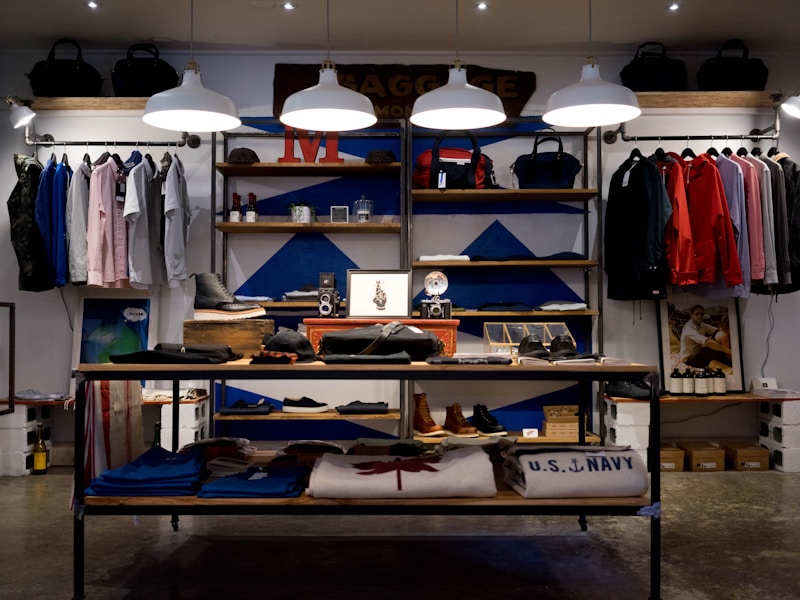
Well-styled flat lay with complementary items and good composition.
- Arrange items in a visually pleasing composition
- Use complementary colors and textures
- Ensure even lighting across the entire scene
- Leave enough negative space around products
Good: Clothing on Model - Proper Fit

Clothing shown on a model to demonstrate fit and styling.
- Show clothing on a model or mannequin for context
- Use natural poses that show the garment's shape
- Include front, back, and side views
- Show details like fabric texture and fastenings
Avoid: Wrinkled Clothing - Poor Presentation

Wrinkled clothing looks unprofessional and reduces perceived quality.
- Always iron or steam clothing before shooting
- Use clips or pins to adjust fit on mannequins
- Consider using a dress form for better presentation
- Check for stains or defects before photographing
Avoid: Poor Lighting - Color Inaccuracy

Inconsistent lighting leads to color inaccuracies and unflattering shadows.
- Use consistent, even lighting for color accuracy
- Avoid mixed light sources with different color temperatures
- Use a color checker for accurate white balance
- Edit photos to correct color issues
Good: Appetizing Food Photography

Food photography that makes products look fresh and appetizing.
- Use natural lighting for fresh, appealing look
- Style food to look freshly prepared
- Include complementary props for context
- Shoot from angles that highlight the food's best features
Good: Beverage Photography - Condensation

Drinks shown with appealing condensation and complementary props.
- Use glycerin or chilled bottles for condensation effect
- Backlight beverages to make them glow appealingly
- Use complementary garnishes and props
- Ensure labels are clearly visible and undamaged
Avoid: Unappetizing Food Presentation

Food that looks unappetizing due to poor styling and lighting.
- Style food to look fresh and appealing
- Avoid overcrowding the plate
- Use garnishes to enhance visual appeal
- Shoot quickly before food looks tired or melted
Good: Jewelry Photography with Macro Details

Sharp, detailed jewelry photography that showcases craftsmanship.
- Use macro lens or setting for fine details
- Light from multiple angles to show sparkle
- Use a clean, non-distracting background
- Include scale references for size context
Avoid: Blurry Jewelry Photography

Out-of-focus jewelry photos fail to show details and quality.
- Use a tripod to eliminate camera shake
- Focus manually on the most important details
- Use adequate lighting to allow faster shutter speeds
- Take multiple shots at slightly different focus points
Good: Lifestyle Home Product Photography
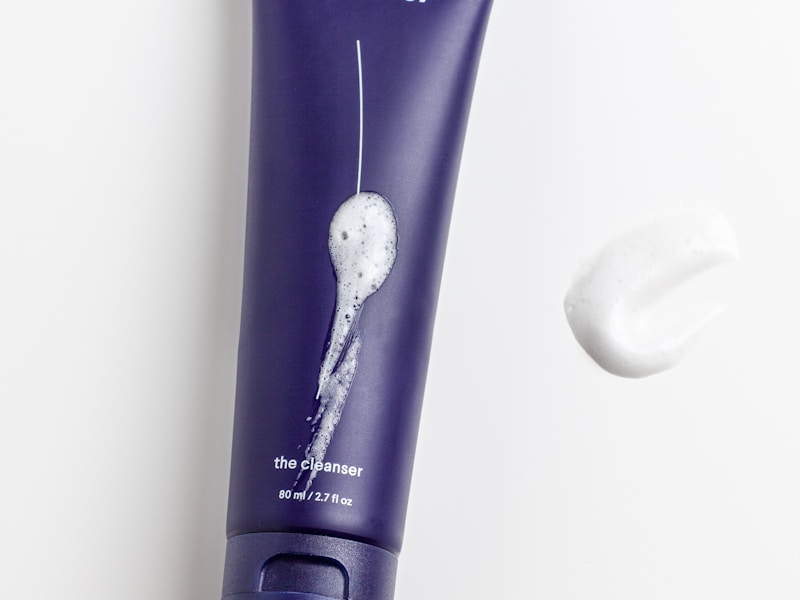
Home products shown in a realistic lifestyle context.
- Show products in natural use environments
- Use props that complement without distracting
- Maintain consistent styling across product lines
- Ensure the product remains the clear focus
Avoid: Distracting Background - Home Decor

Background elements compete with the product for attention.
- Choose backgrounds that complement without competing
- Use shallow depth of field to blur distracting elements
- Simplify compositions to focus on the product
- Ensure the product is the brightest element in the frame